doc2x.com/help/guide/pdf-translation.html
4 pages 936.4 kB 5.4 s no credits
Page 1
Page 2
Page 3
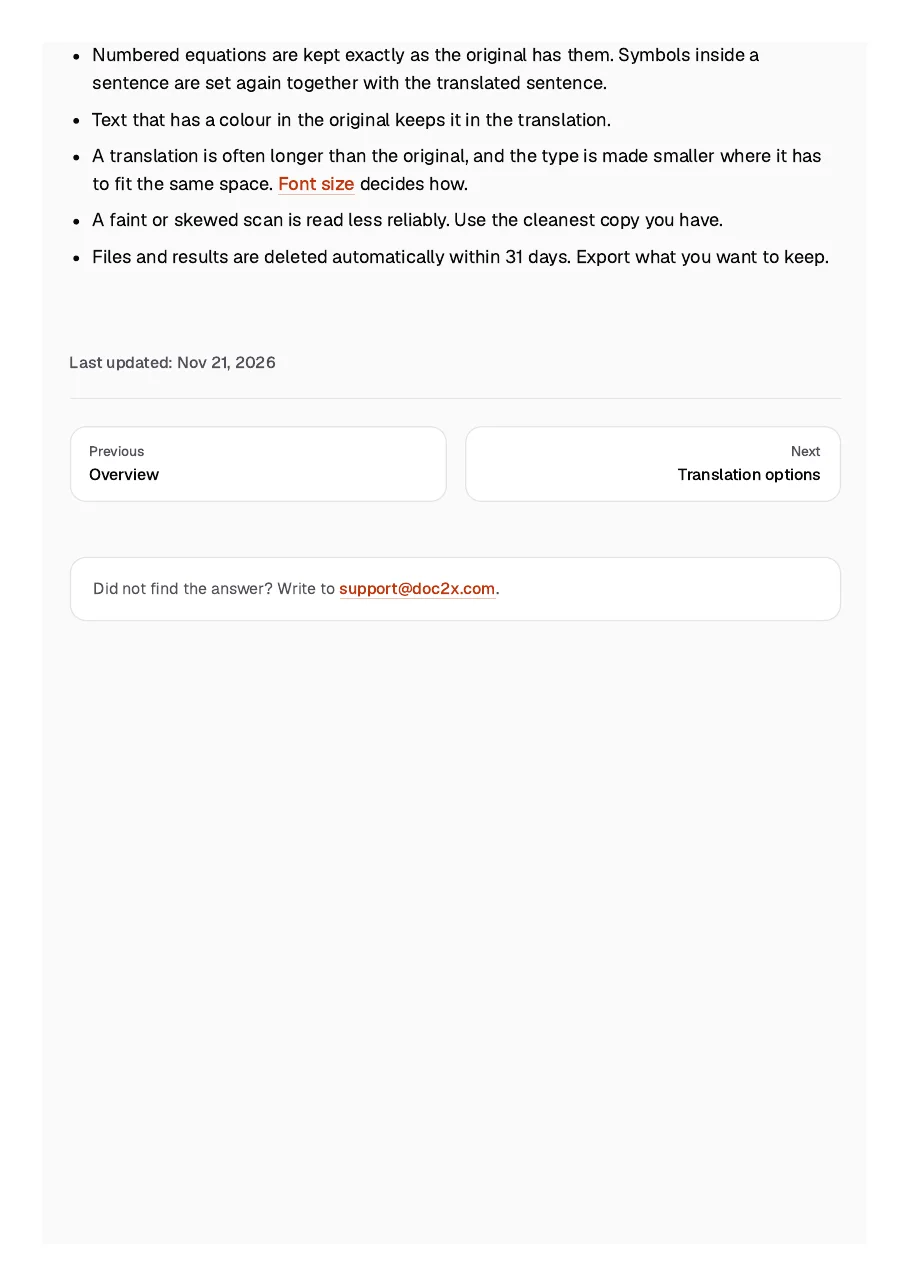
Page 4
Paste the address of a page anyone can open: an article, a manual, a page of documentation. Doc2X opens it, prints it on A4 and hands you the PDF, with its text as text and its links as links. It costs no credits, and one more click takes the PDF on to be translated or converted.
You sign in before the page is opened: free, no card needed.
Nothing at hand? See a page of ours and the PDF it became
A page of ours, and its PDF
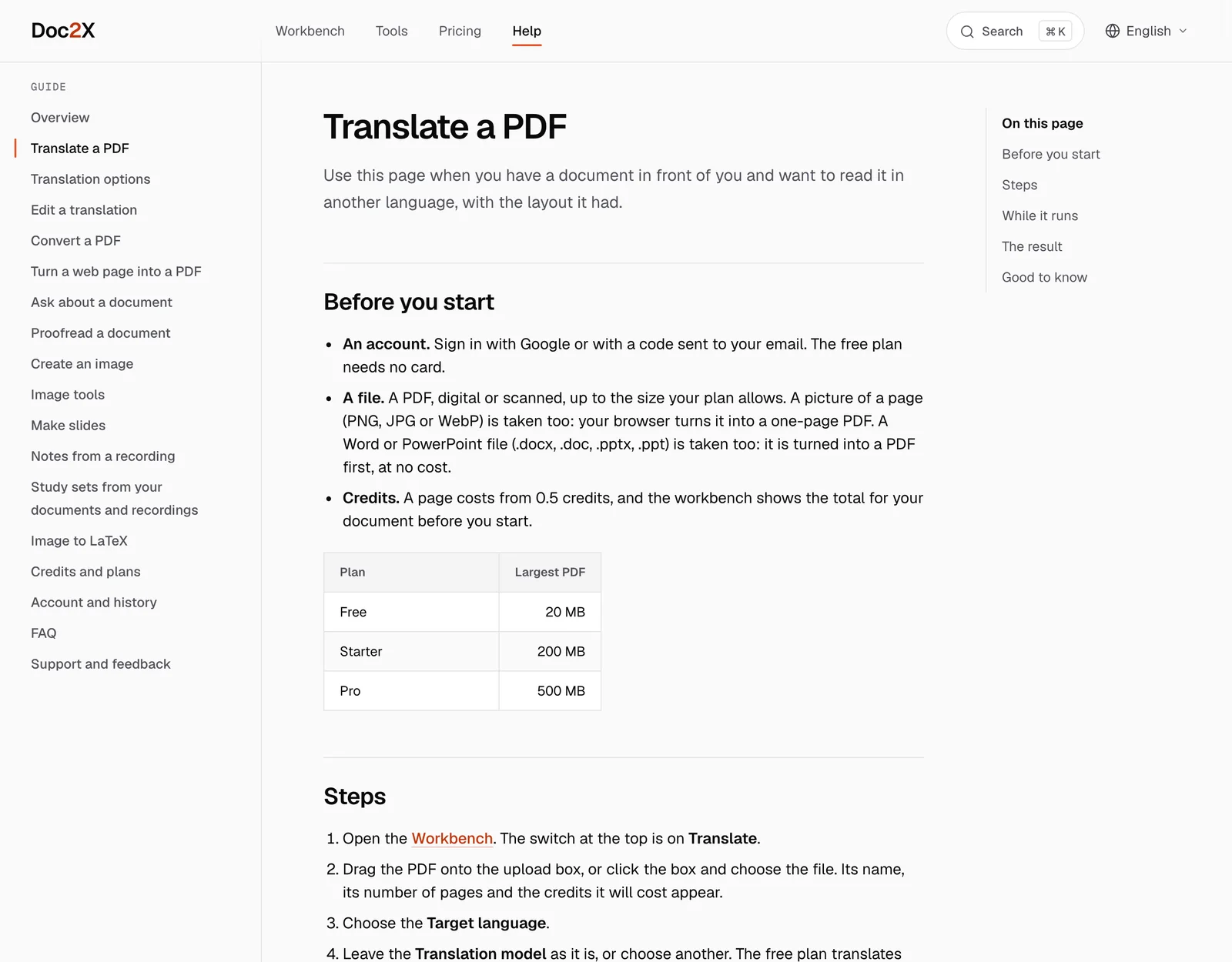
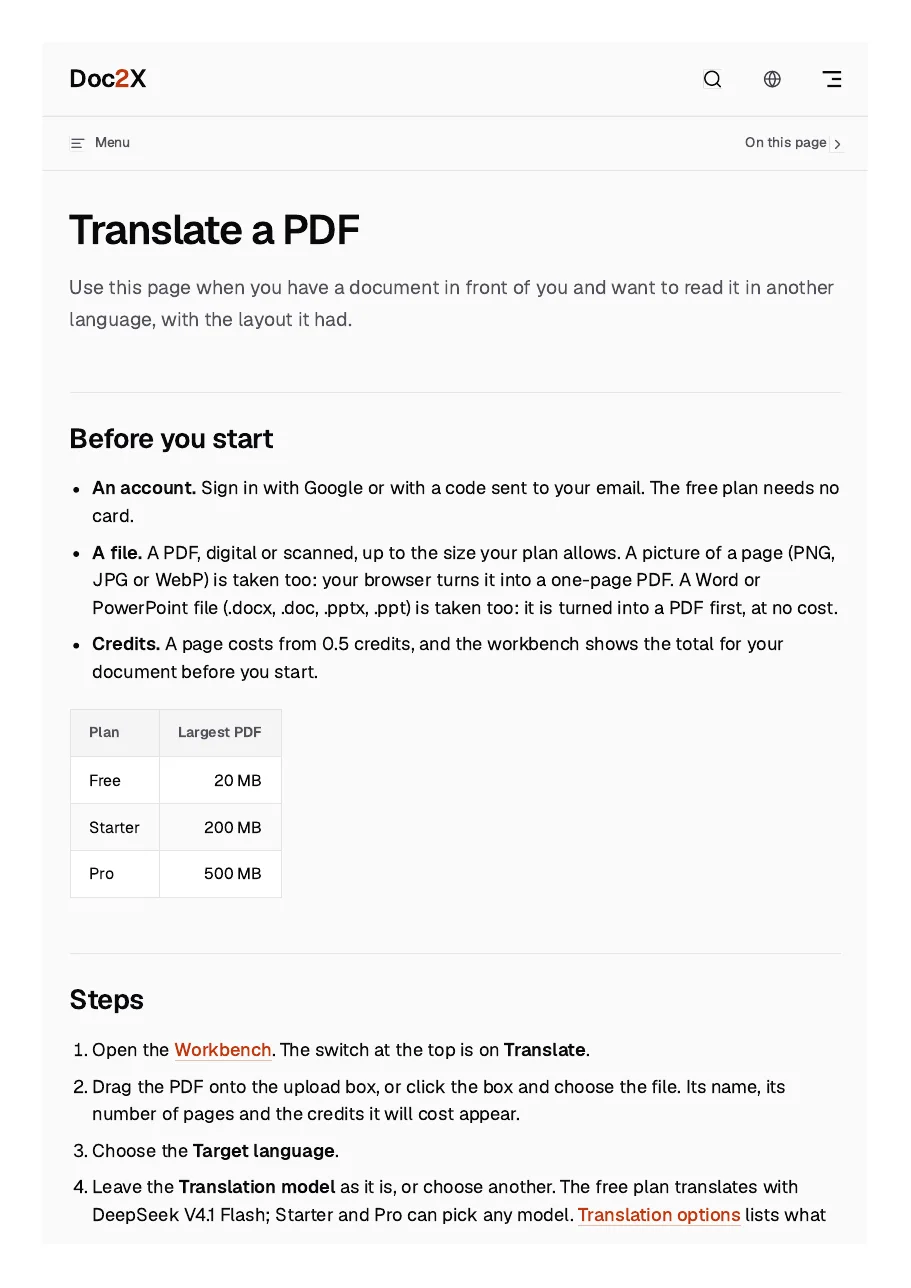
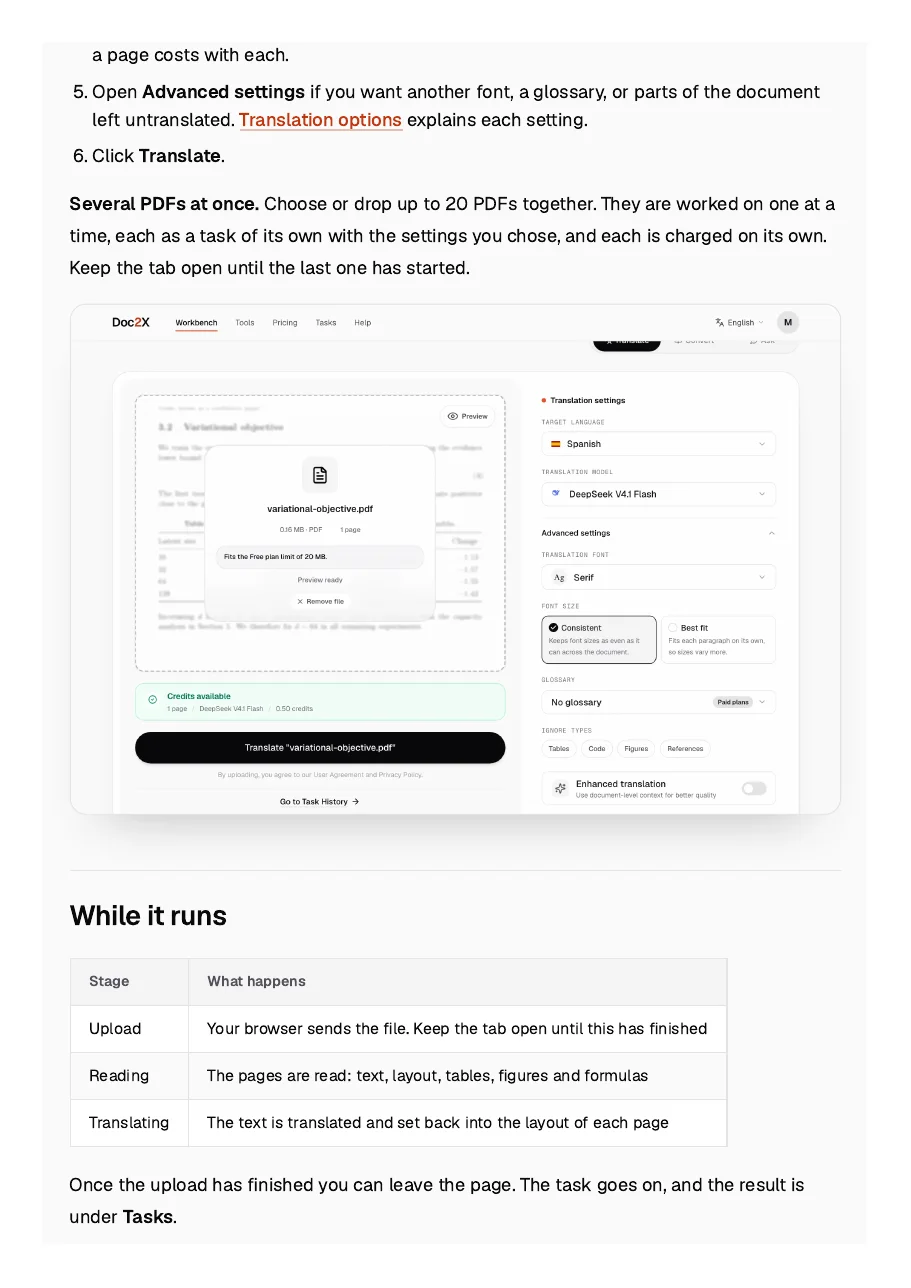
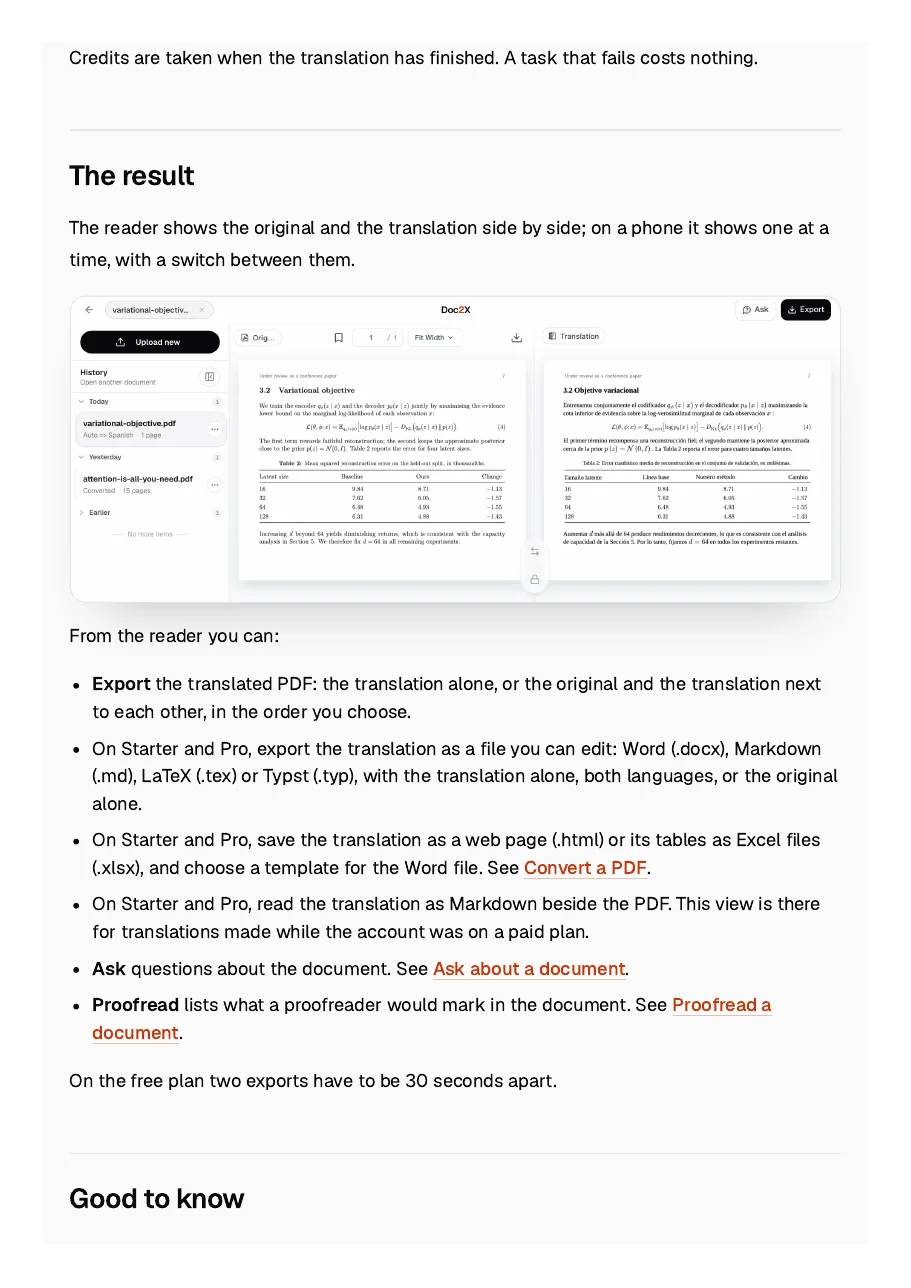
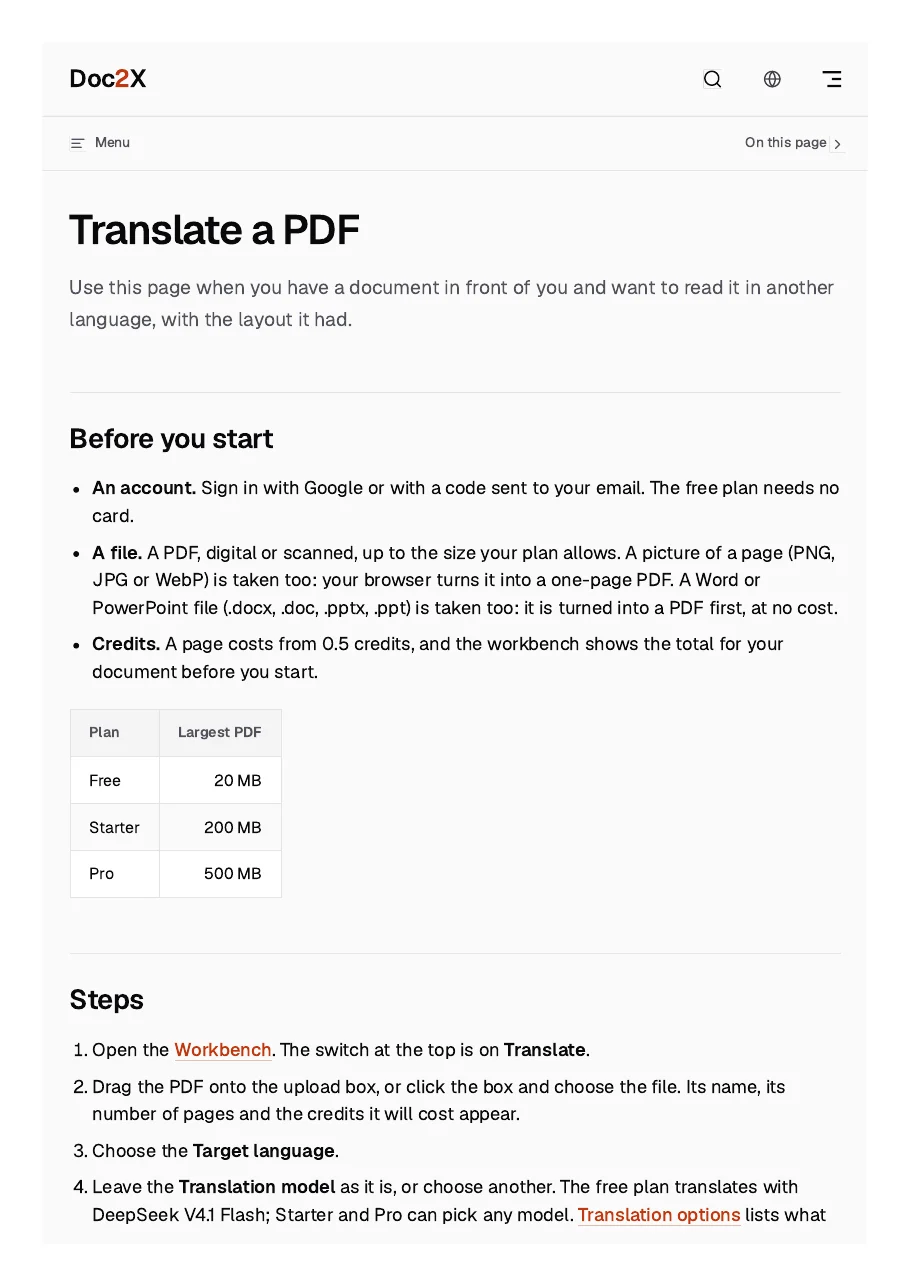
The page of our help center about translating a PDF went through the page for web pages once. First the top of it as a desktop browser shows it, then the pages of the PDF that came back, as they came. Open the file and check it yourself.
4 pages 936.4 kB 5.4 s no credits
Page 1
Page 2
Page 3
Page 4
Made once on 22 November 2026 by the page for web pages, signed in as an account of our own, as a user's is. The file is as it came. The pictures of its pages are the file drawn at 110 dots an inch. Another page of our help center was made the same way: doc2x.com-credits-plans.pdf, 5 pages in 4.9 seconds.
Why it is worth having
Doc2X
Menu
On this page
Translate a PDF
Use this page when you have a document in front of you and want to read it in another
language, with the layout it had.
Before you start
An account. Sign in with Google or with a code sent to your email. The free plan needs no
card.01
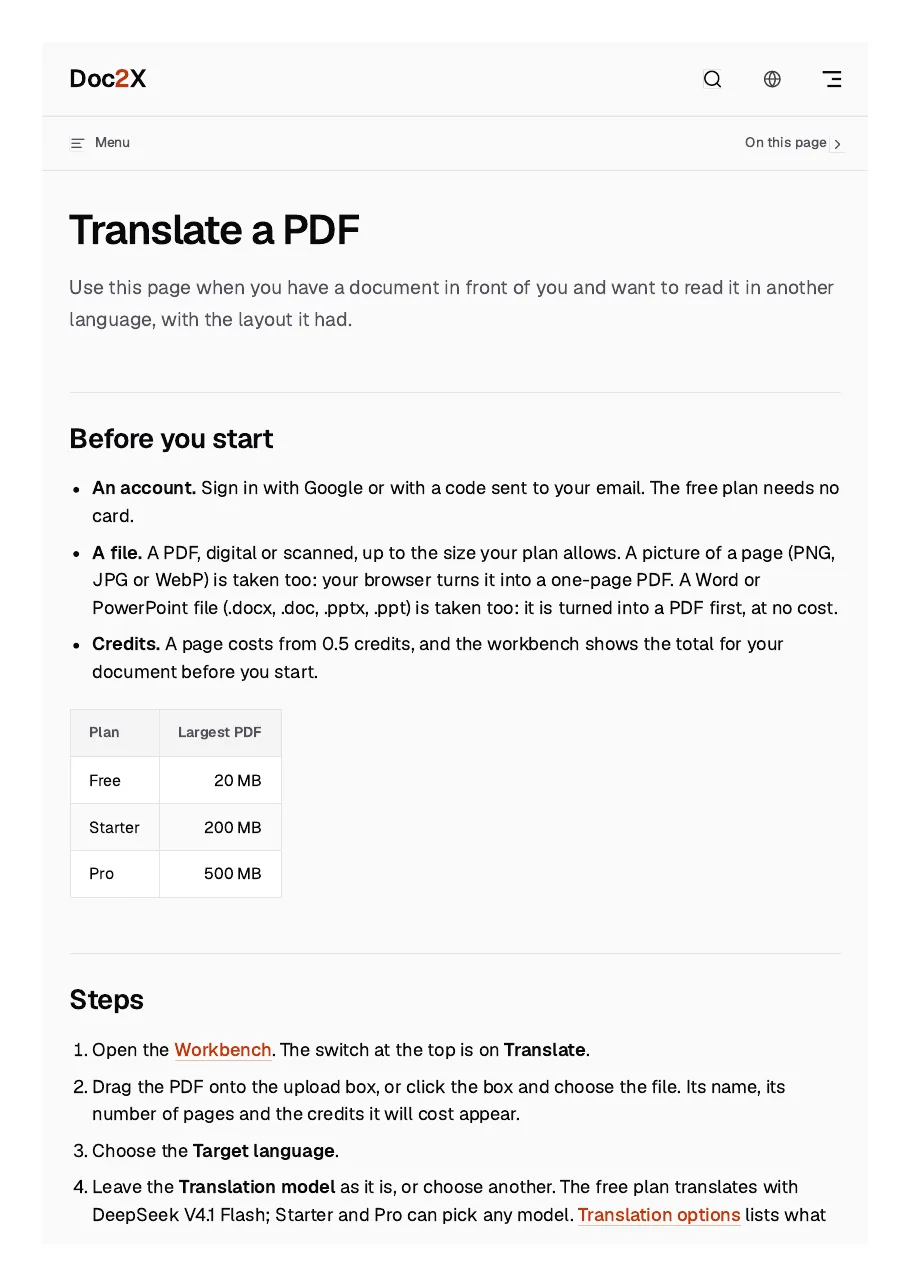
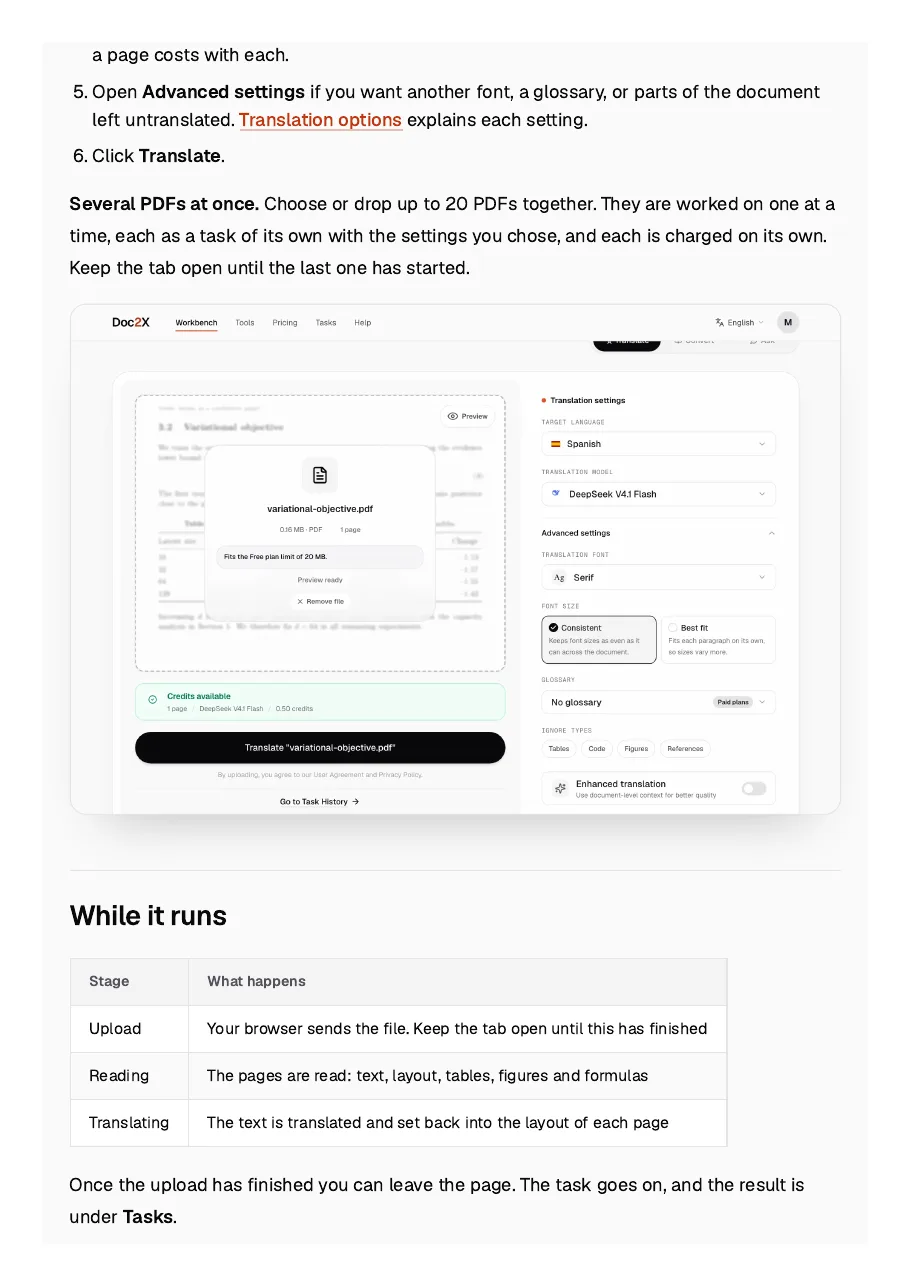
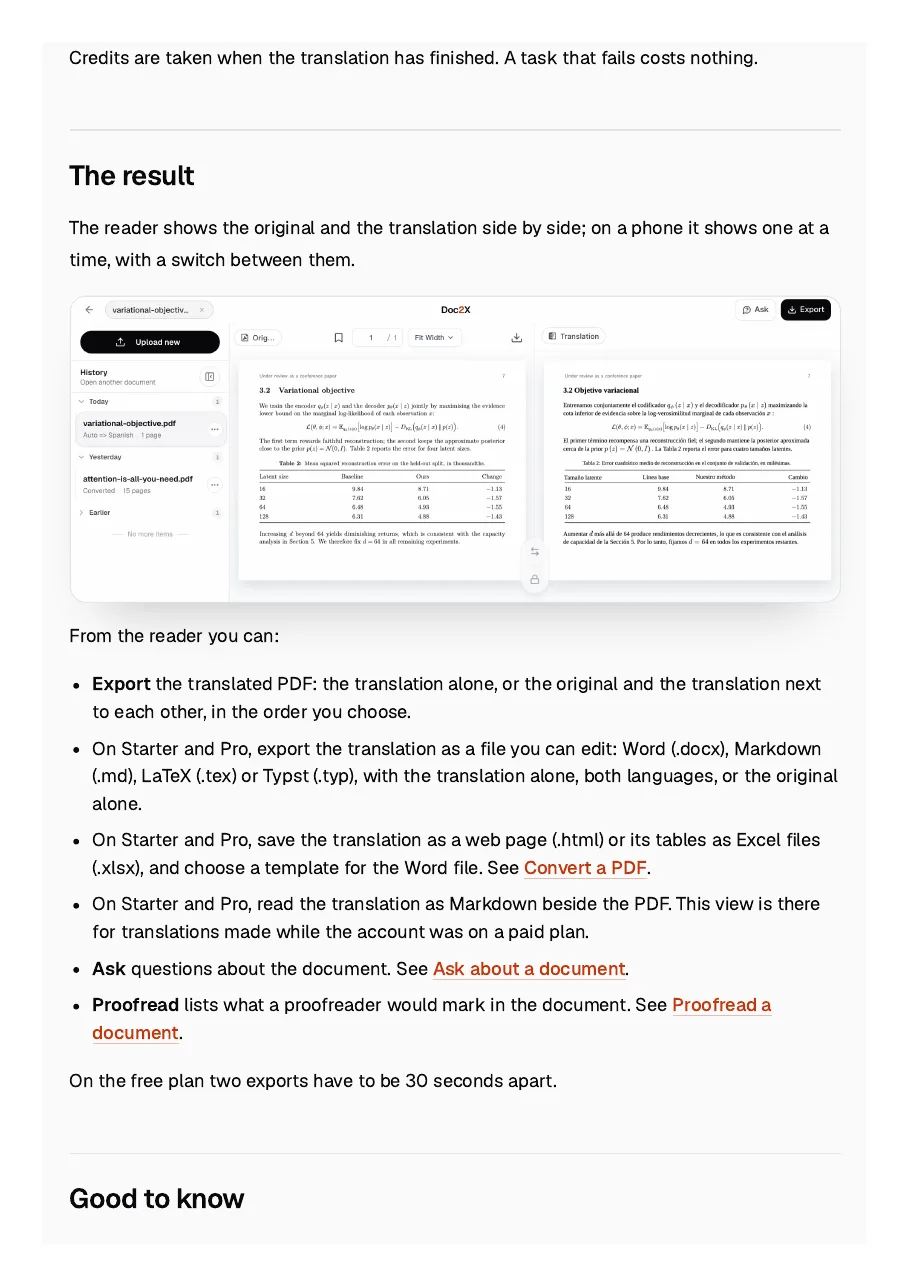
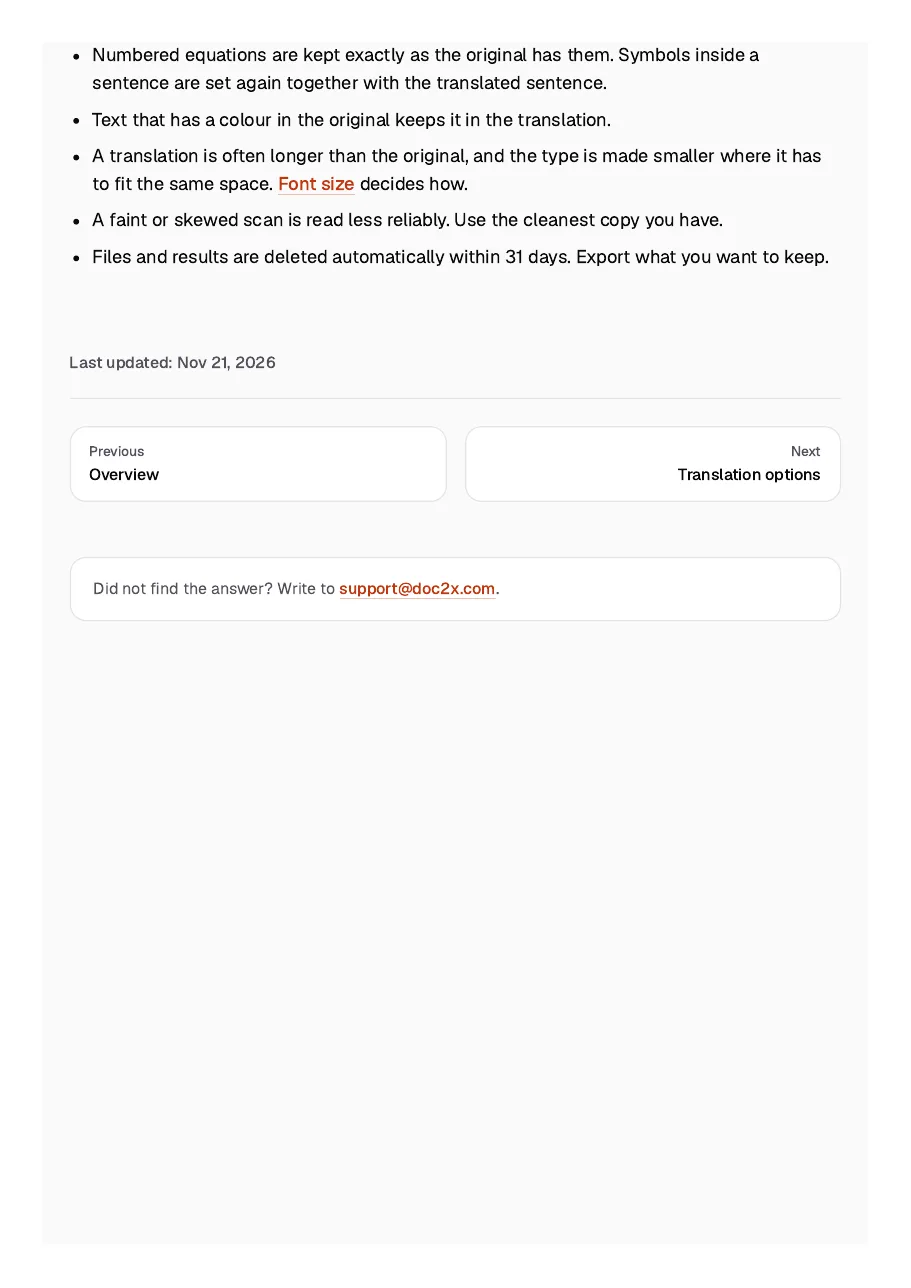
The page is printed, not photographed: its words can be selected, searched and copied, and a translator or a screen reader can read them. A PDF reader finds 671 words in the example. Beside this are the first lines it reads on page 1.
02
A web page has no pages; paper does. The example came back as 4 sheets of A4, with its headings, its lists, its table and its pictures in the order they have on the page.
03
The page is given its own print styles on a sheet of A4, backgrounds included. A page that rearranges itself for a narrow window is printed that way: our help center folds its side menu into a bar at the top, so the PDF has no column of menu beside the text.
04
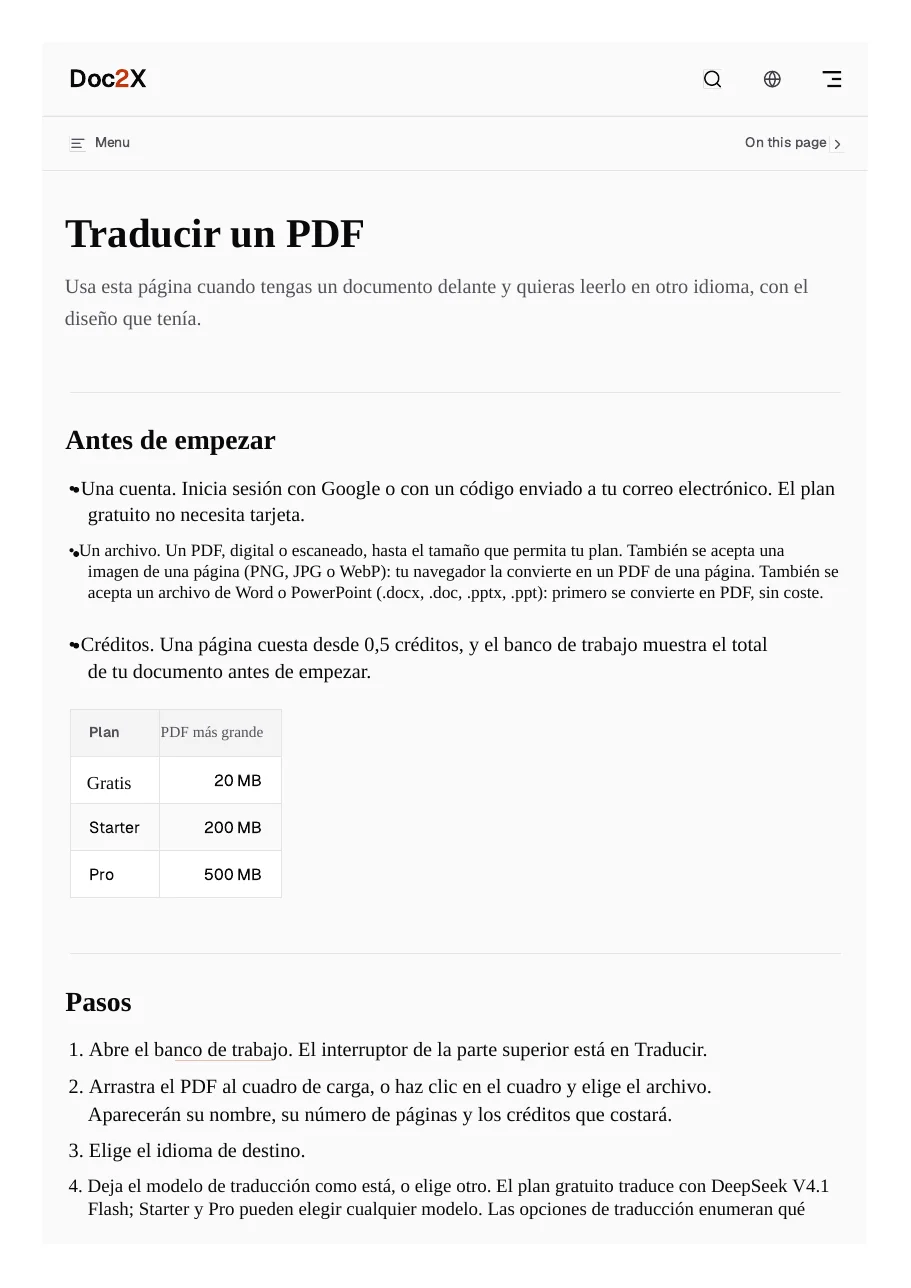
Making the PDF takes no credits. When it is ready, Translate hands it to the workbench as the chosen file. We did that with the example: its 4 pages came back in Spanish 22.5 seconds later for 2 credits, with the headings, the list and the table where they were. Two words of the top bar stayed in English, and the text is set in the translation's default typeface.
How it works
01
Of any page that anyone can open without signing in: an article, a manual, a report, a page of documentation. An address without http:// or https:// is taken as https://.
02
Doc2X opens the page in a browser of its own and prints it to a PDF. The two pages on this site took 4.9 and 5.4 seconds. It costs no credits; an account can make 10 an hour, one at a time.
03
The PDF is yours to keep. One more click hands it to the workbench, to be translated or converted like any PDF you upload. Nothing is charged until you start that.
The fine print
Better to know before you start. The last list is what it does not do today.
Paste its address in the box on this page, sign in, and press the button. Doc2X opens the page, prints it on A4 and gives you the PDF to download. The two examples on this page took about five seconds each.
Yes. Turning a web page into a PDF takes no credits on any plan, the free one included, and the free plan needs no card. An account can make 10 an hour, one at a time.
Yes. The page is printed, not photographed, so its text is text: a PDF reader finds 671 words in the example, and its 12 links are still links.
It is the page as a browser prints it on A4, with its backgrounds. A page that arranges itself differently in a narrow window is printed that way: the side menu of our help center became a bar at the top, as the example shows.
Pages that anyone can open without signing in, at an address that starts with http:// or https://. It opens the page as a stranger would: a page behind a login, on a private network or on your own computer cannot be reached.
Yes, in two steps. Make the PDF, then choose Translate: the PDF is handed to the workbench as the chosen file, and the translation keeps its layout. Translating costs what it costs for any PDF: half a credit a page with the standard model, and the free plan has 50 credits every month. The example on this page, four pages, came back in Spanish in 22.5 seconds for 2 credits.
Make the PDF, then choose Convert. The workbench gives it back as Markdown, Word, LaTeX or Typst for a quarter of a credit a page.
For a page that is open in front of you on a computer, your browser prints much the same file. This is for when you have only the address, when you are on a phone, or when you want the next step: the PDF goes straight on to be translated or converted, without being downloaded and uploaded again.
No. The PDF is handed to your browser and is not stored by Doc2X. It is kept only if you go on to translate or convert it: then it is a document in your tasks like any other, and is deleted after 31 days at the latest.
Free on every plan. No card needed.