Handwriting off, print untouched.
Give Doc2X a photo or a scan of a printed page somebody wrote on: a filled-in worksheet, a marked test, a form, a page with notes in the margin. It takes the pen and pencil marks off and gives the page back with its print in place: to hand out again, to share, or to turn into a file you can edit.
Take the writing off a page
- From
- A JPG, PNG or WebP, up to 20 MB
- Where
- The whole page, or only where you paint
- Cost
- 2 credits a page
Free plan: 50 credits every month, no card needed. That is 25 pages.
Nothing at hand? See a worksheet before and after
- From
- A JPG, PNG or WebP of a printed page with writing on it, up to 20 MB
- Back
- The same page without the writing, the same size in pixels
- Cost
- 2 credits a page, charged when the page is done
A worksheet, before and after
What was written on it, and what is left.
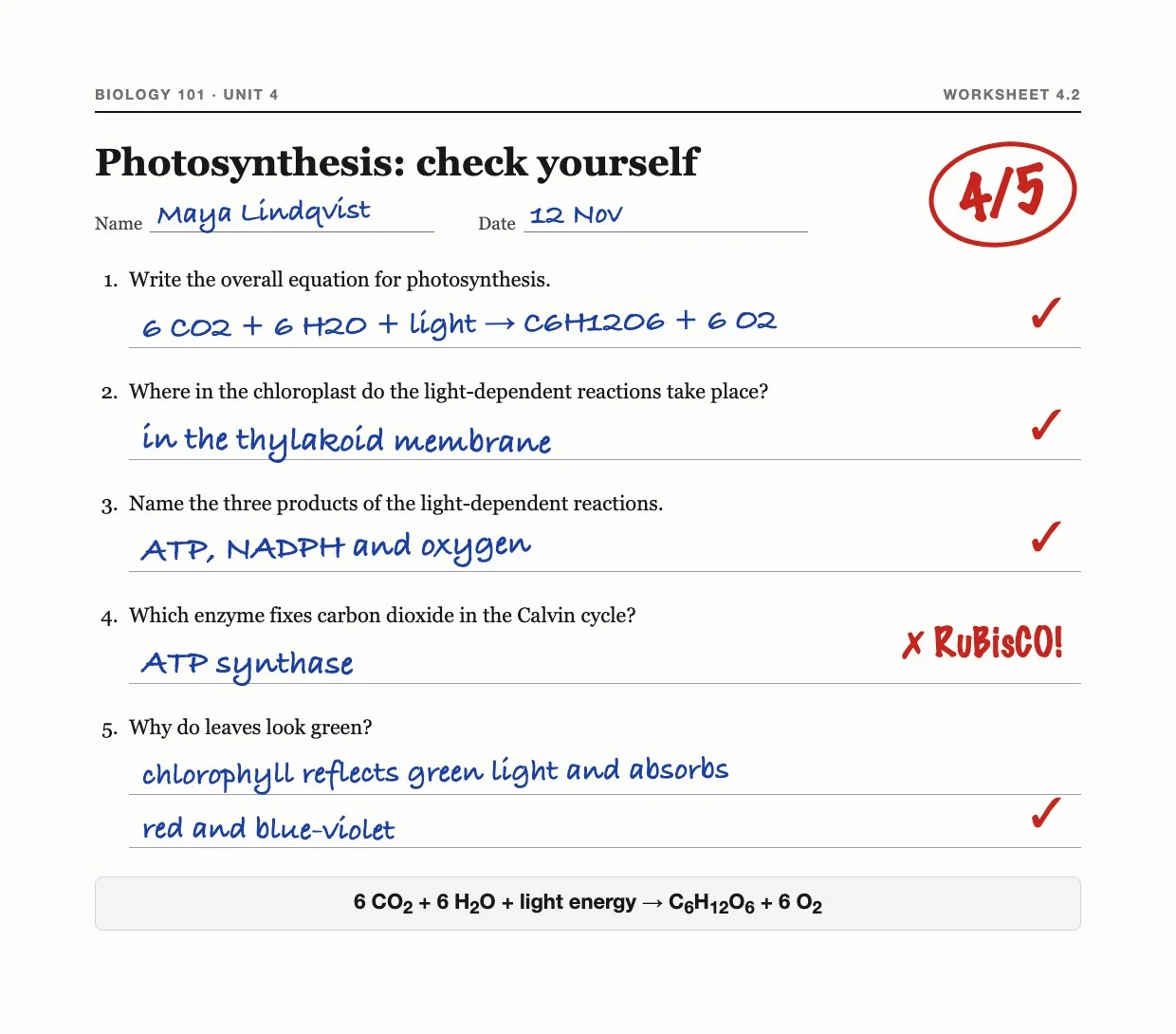
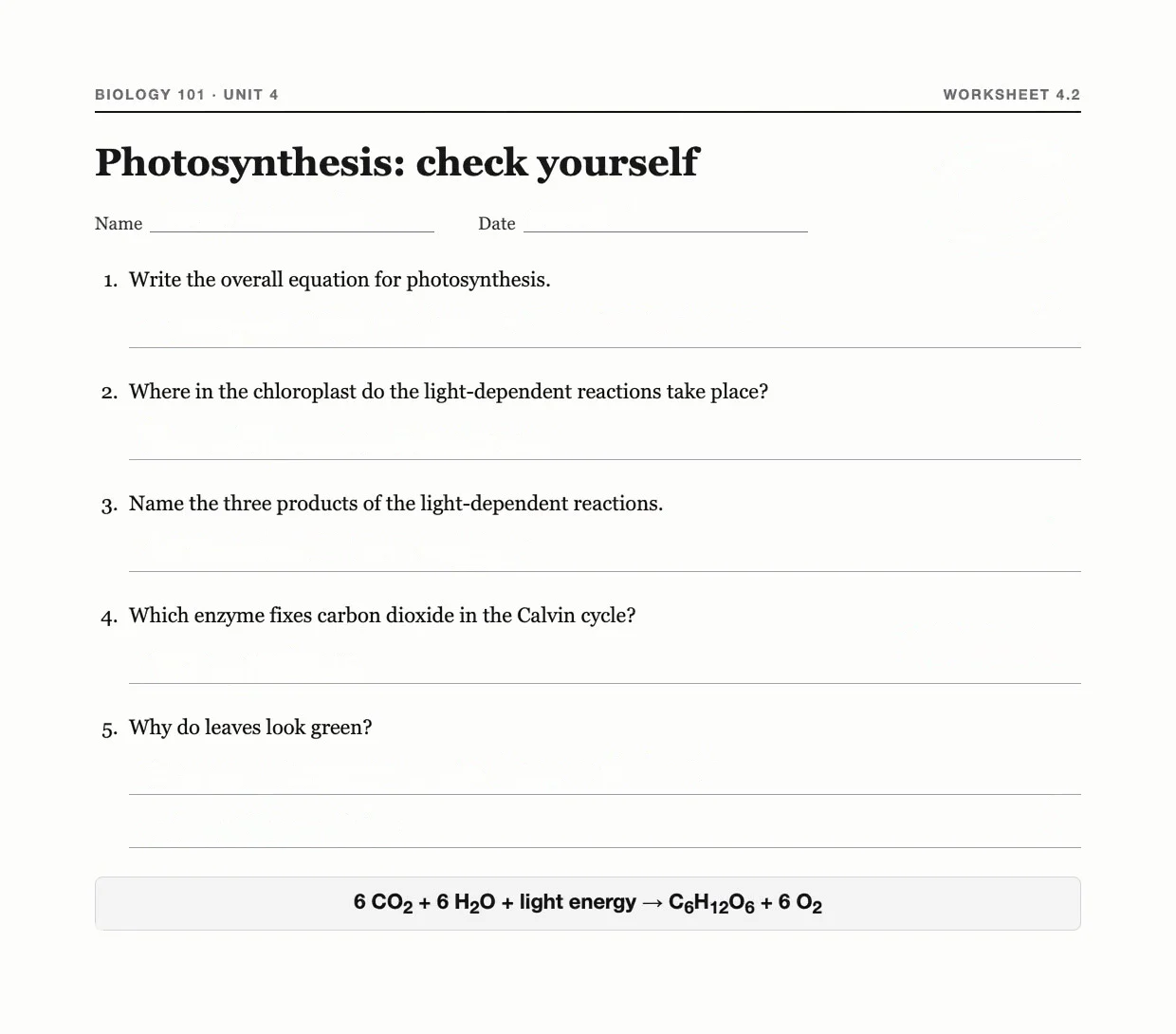
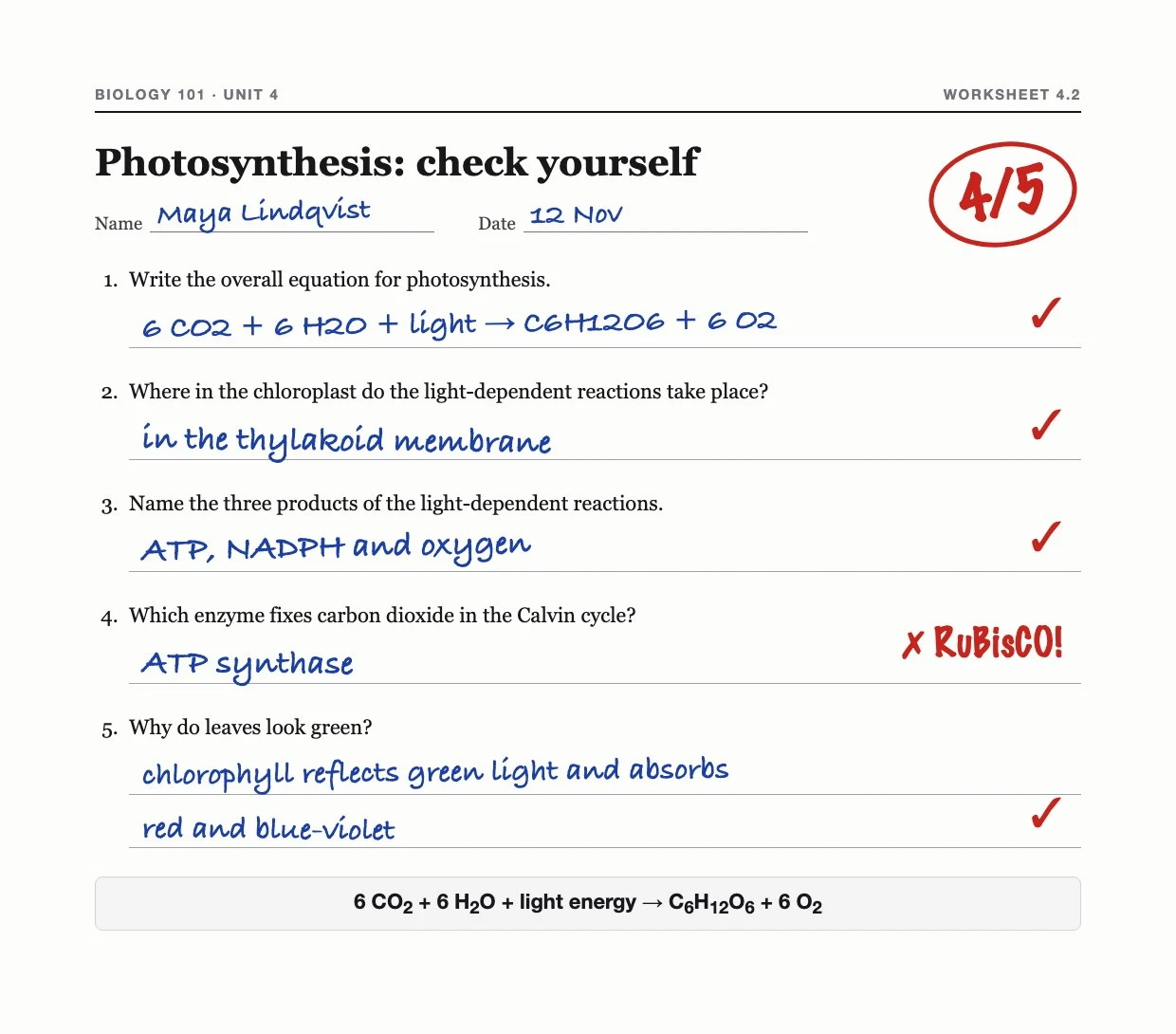
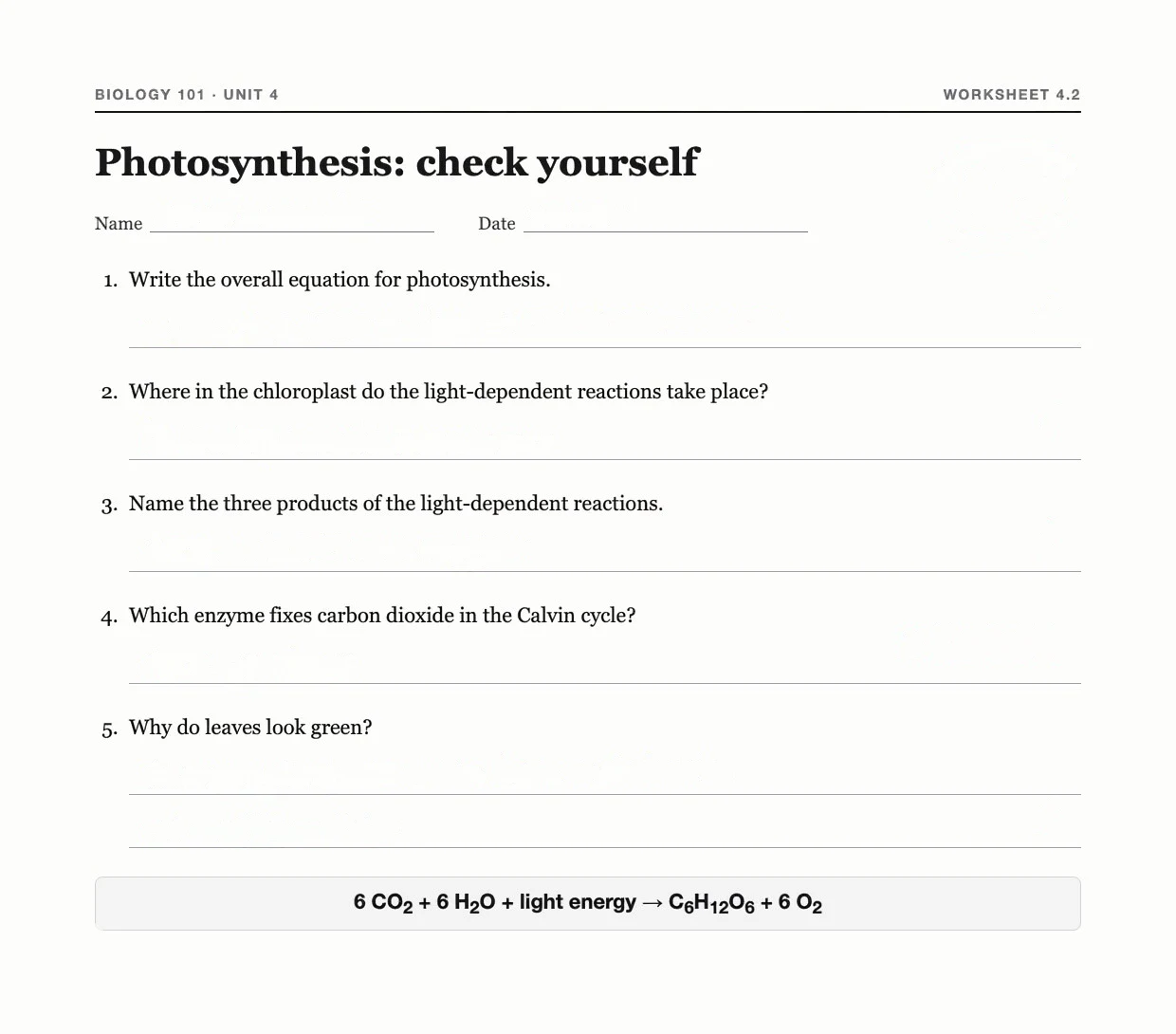
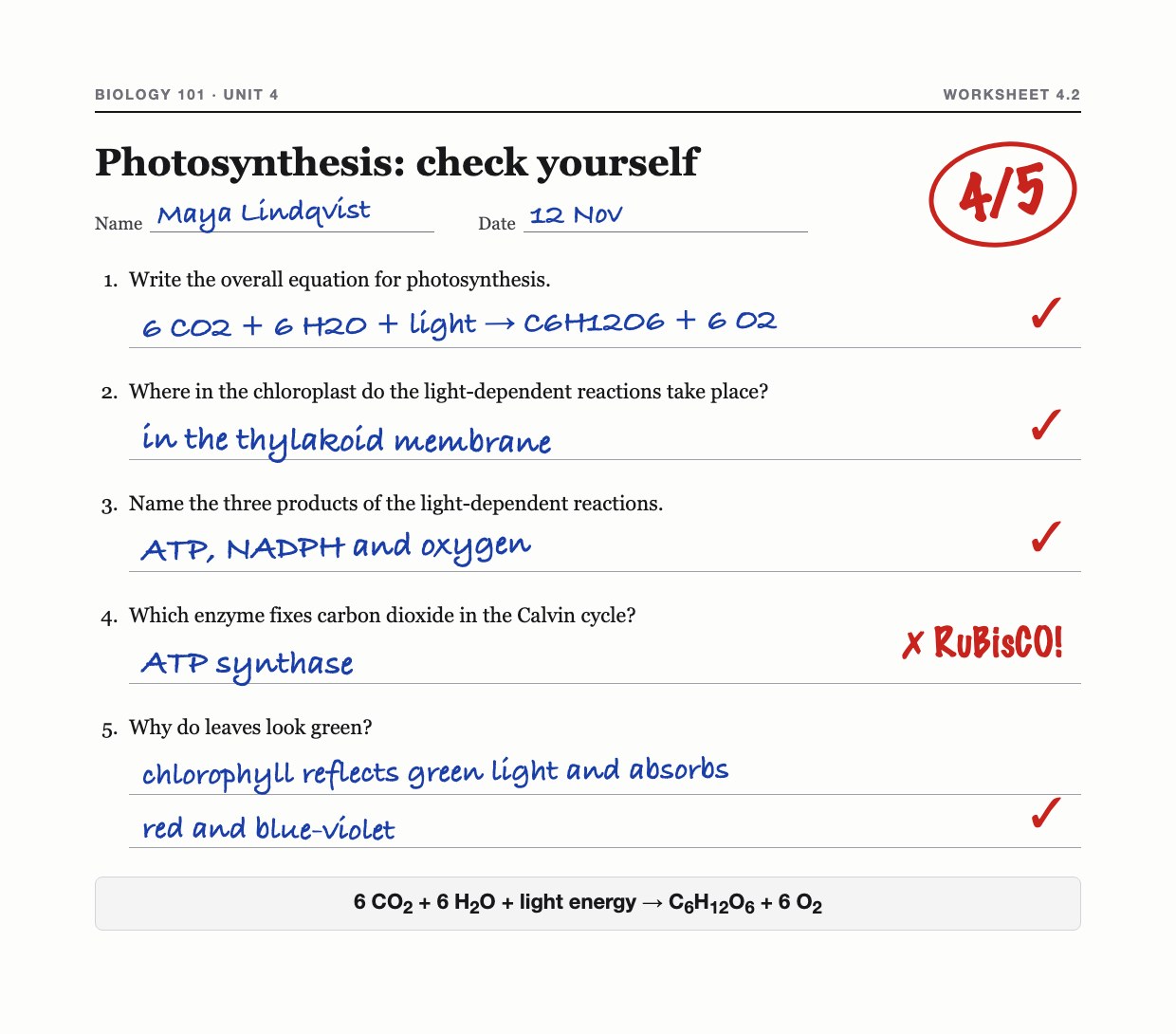
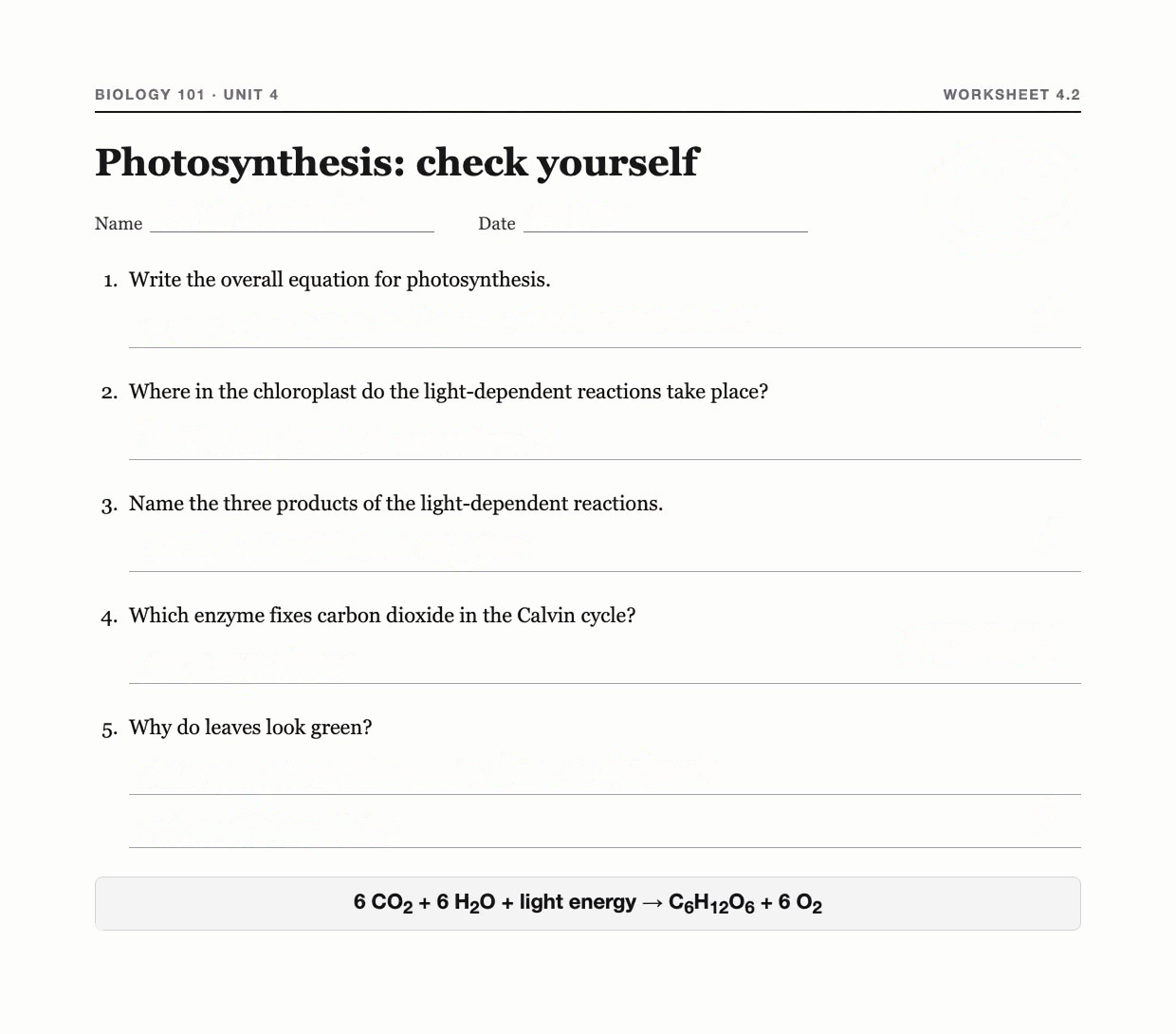
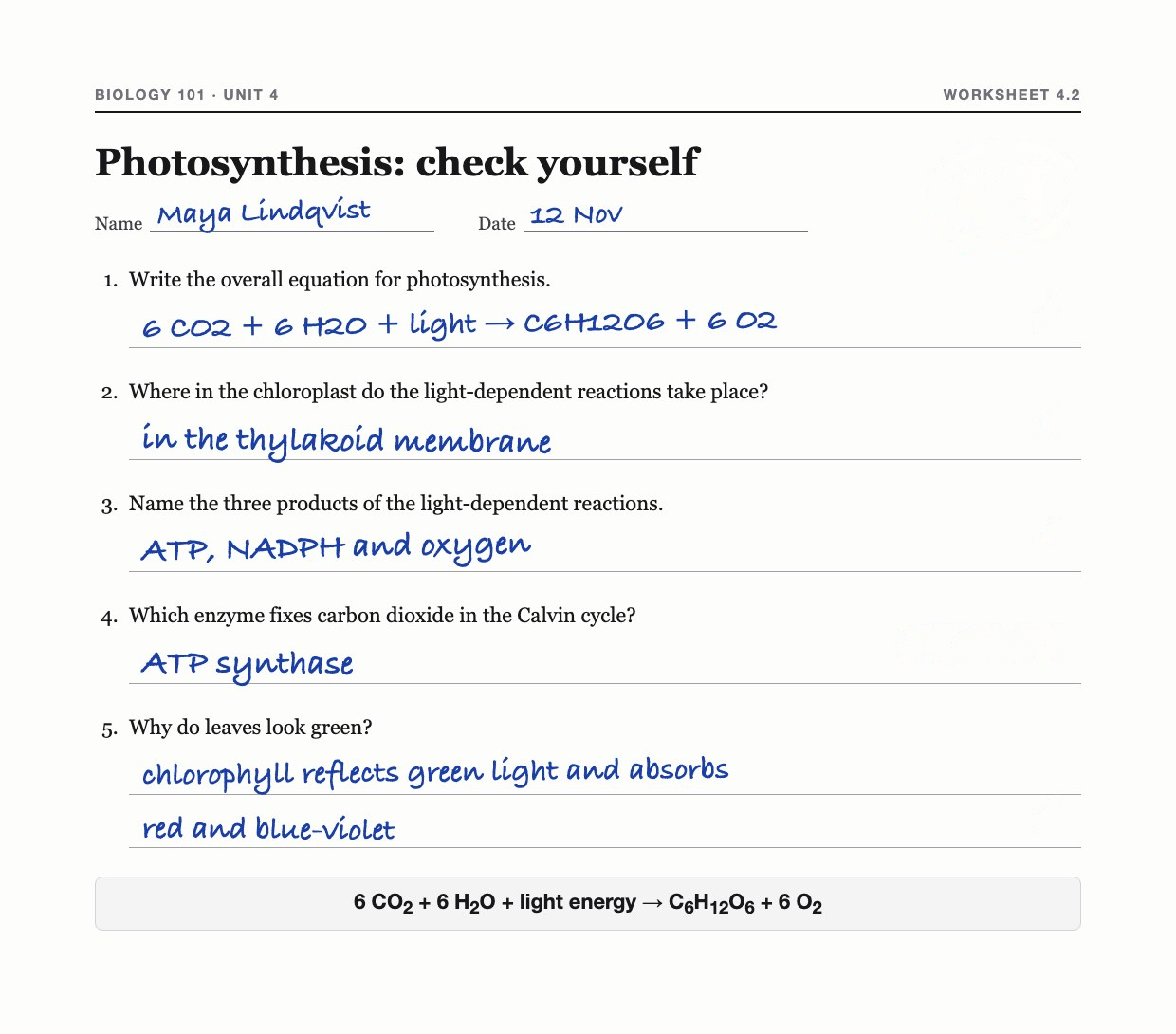
A worksheet with a student's answers in blue and a teacher's marks in red went through the tool once. Drag the handle: left of it is the picture that went in, right of it the picture that came back, laid exactly over it.
- 01All of the blue is gone: the name, the date and six lines of answers.
- 02So is the red: the grade in its circle, four ticks and one correction.
- 03The print is where it was: the title, the five questions, the lines to write on and the equation at the foot.
12.7 s 2 credits 1240 × 1090 pixels in, the same out
What differs from a clean copy. Where the ink was, the paper came back a shade paler than around it: nothing you read, but you can find the places if you look for them. The lines for the answers, the rule under the header and the box of the equation are whole.
Not a mock-up of the result, and not a camera photo either. We set this worksheet for the page, with the answers in a handwriting typeface and the marks drawn in red, and saved it as a JPG. On 22 November 2026 the JPG was given once to the tool on the live site; what came back is shown as it came, unretouched. Open the picture that went in and the picture that came back.
Why it is worth having
The page under the writing, not a patch over it.
- Went inThe JPGCame back12.7 s later
Questions 1 and 2, as they went in and as they came back 01
The print stays where it is
The tool takes the ink of a pen or a pencil and leaves what was printed: the questions, the lines to write on, the rules and the boxes. Here are questions 1 and 2 of the worksheet as they went in, and the same strip as it came back.
- Went inThe JPGCame back12.7 s later
The top of the worksheet: the name, the date and the grade, and the same strip after 02
Blue pen, red marker, a circled grade
On the worksheet a student wrote in blue and a teacher marked in red: ticks, a correction, a grade in a circle. All of it went in one run. Nothing was pointed at, and no colour was chosen.
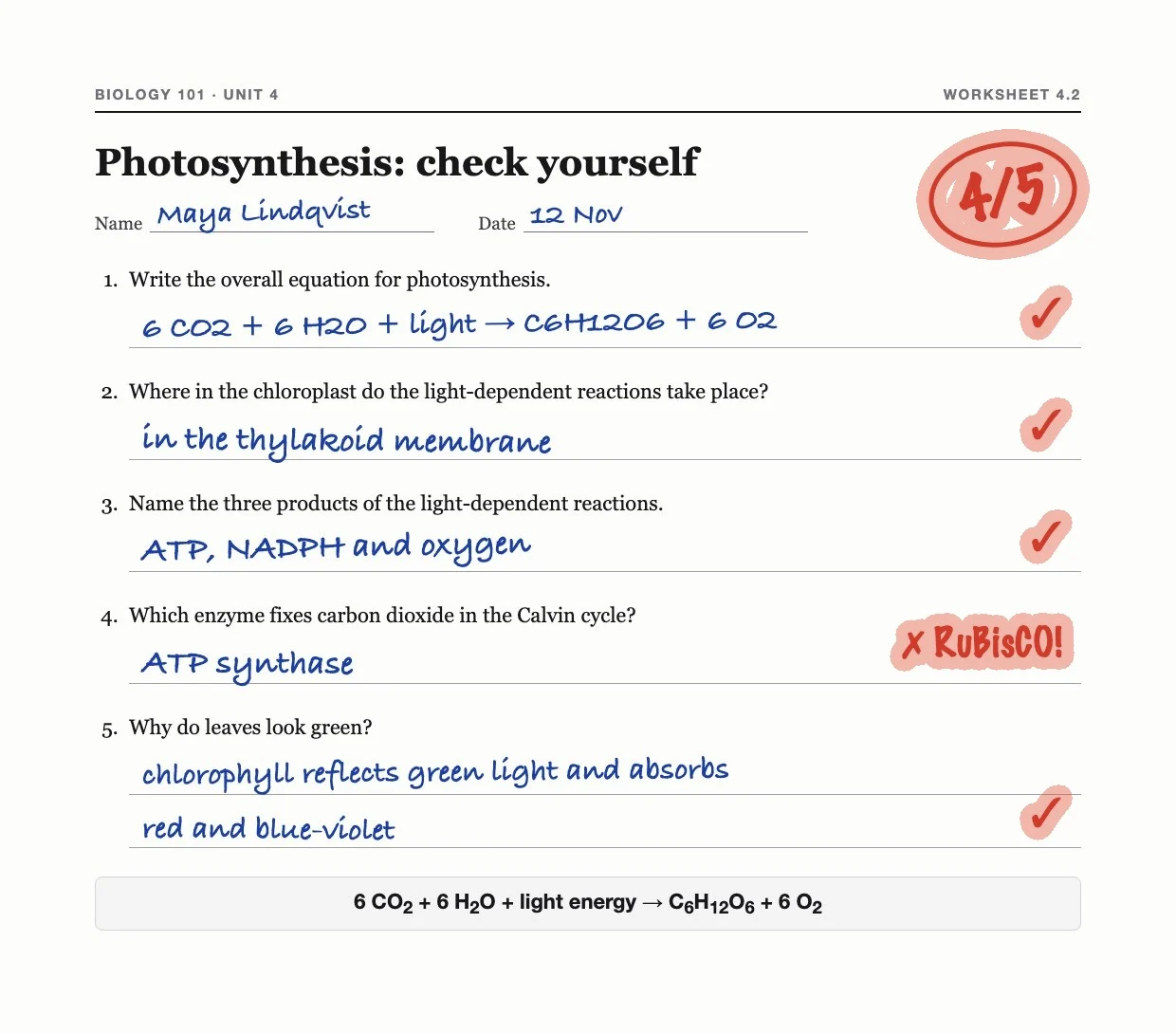
- Painted overOnly the marks in red
 Came back12.8 s later
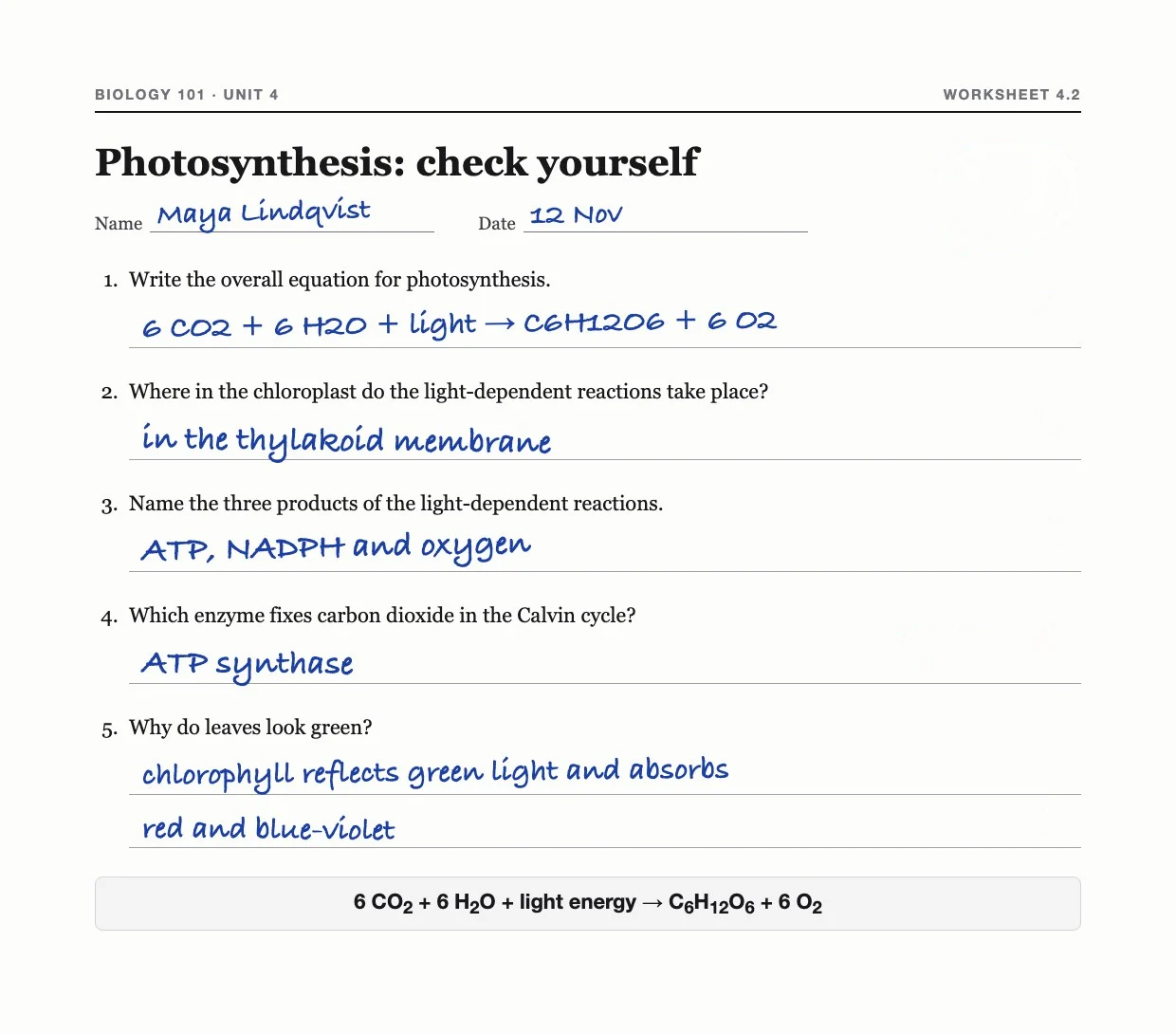
The same worksheet with only the red marks painted over, and what came back 03
Paint, when only some of it should go
Left alone, the tool works on the whole page. To lose the teacher's marks and keep the answers, choose "Only where I paint" and brush over what should go. We did that with the red marks: 12.8 seconds later they were gone and every answer was still there. A program compared the two pictures: outside what was painted, not one pixel had changed.
## Photosynthesis: check yourself

1. Write the overall equation for photosynthesis.

2. Where in the chloroplast do the light-dependent reactions take place?

3. Name the three products of the light-dependent reactions.

4. Which enzyme fixes carbon dioxide in the Calvin cycle?

5. Why do leaves look green?

__________

\( 6{\mathrm{CO}}_2 + 6{\mathrm{H}}_2\mathrm{O} + \) light energy \( \rightarrow  {\mathrm{C}}_6{\mathrm{H}}_{12}{\mathrm{O}}_6 + 6{\mathrm{O}}_2 \)
The Markdown the clean page gave in the workbench, whole: 471 bytes, 4.2 s 04
Then make it a file you can edit
A clean page is a page the workbench can read. We gave it the worksheet as it came back: 4.2 seconds and a quarter of a credit later it was Markdown, with the title as a heading, the five questions as a numbered list and the equation as LaTeX. The running header and the fields for the name and the date were left out. Word, LaTeX and Typst come from the same conversion.
How it works
Three steps from a written-on page to a clean one.
01
Choose the page
A JPG, PNG or WebP of up to 20 MB: a phone photo, a scan, a screenshot. Drop it, choose it or paste it. Up to 40 pages can be put in at once; they are done one after the other.
02
Sign in and start
The page says what it will cost before anything is charged: 2 credits a page. Leave the tool to find the writing, or paint over the part that should go. Our worksheet took 12.7 seconds; most pages are done in under half a minute.
03
Compare, download, or go on
Drag the line between the page as it was and the page as it is now. Download the result, or pass it on without downloading it: to another of the image tools, or to the workbench to become Word, Markdown or LaTeX.
The fine print
What it takes and what it gives back.
Better to know before you start. The last list is what it does not do today.
- Takes
- A JPG, PNG or WebP picture of a page, up to 20 MB and between 100 and 10,000 pixels on a side. A picture of more than 20 million pixels is made smaller in your browser before it is sent
- What goes
- Pen and pencil marks on a printed page: answers, notes, ticks, corrections, circles
- What stays
- What was printed: text, lines to write on, rules, boxes, figures
- Where
- The whole page, or only the part you paint over. On our worksheet, nothing outside the paint changed
- Gives back
- A picture of the same size in pixels. Ours went in and came back at 1,240 by 1,090
- How long it takes
- Our worksheet: 12.7 seconds. Most pages are done in under half a minute
- How many
- Up to 40 pages at a time, done one after the other
- Cost
- 2 credits a page, charged when the page is done. A page on which nothing was found to change is not charged
- Storage
- Pictures and results are kept for 31 days, then deleted. You can delete one sooner
Not a fit yet
- A PDF as it is. The tool takes pictures: save the page as a JPG or PNG first, or photograph the printout.
- A page that is handwritten throughout. The tool is for writing on a printed page; it keeps the print.
- A promise that every stroke goes, or that nothing else changes. The places where the writing was are drawn again: on our worksheet the paper there came back a shade paler. Compare the result with the original before you use it.
- Reading what was written. This tool removes writing; it does not turn it into text.
How do I remove handwriting from a worksheet?
Photograph or scan the page, open the tool, choose the picture and start it. The page comes back without the writing, usually in under half a minute; the worksheet on this page took 12.7 seconds. Drag the line between the two to compare them, then download the clean page.
Is it free?
The free plan gives every account 50 credits a month and needs no card. A page costs 2 credits, so that is 25 pages a month for nothing. A page on which nothing was found to change is not charged.
Will the printed text change?
It is meant to stay, and on our worksheet it did: the title, the five questions, the lines and the equation came back as they were. The tool draws the places where the writing was again, so look at small print that sits close to heavy writing before you use the page. The handle on the comparison is there for that.
Can it remove only the teacher's marks and keep the answers?
Yes. Choose "Only where I paint" and brush over what should go. We painted over the red marks of the worksheet on this page: the grade, the ticks and the correction went, the answers in blue stayed, and outside what was painted not one pixel of the picture changed.
Does it work on a photo taken with a phone?
Yes, a photo is a picture like any other. If the page lies at an angle or in shadow, scan it first with the scanner of the same tools (a quarter of a credit), then take the writing off: the result of one tool is passed to the next without downloading it.
Can I do a whole stack of pages?
Up to 40 pictures at a time. They are done one after the other, and each page is charged when it is done.
Can I get the clean page as Word or Markdown?
Yes. Pass the clean page to the workbench and convert it, for a quarter of a credit a page. Our worksheet became a Markdown file of 471 bytes in 4.2 seconds, with its equation as LaTeX.
What about a PDF with handwriting in it?
The tool takes pictures, not PDFs. Save the page as a JPG or PNG, or photograph the printout, and give it that.
Are my pages kept?
For 31 days, so that you can come back to them; then they are deleted automatically. You can delete a page sooner, from the list on the tool's page.
Hand it out blank again.
Free plan: 25 pages a month. No card needed.