A document translator that returns a document.
Most translators hand back a stream of text. Doc2X hands back the document: the same pages, the same tables, the same headings, in another language. Reports, manuals, datasheets and papers, as PDF.
No file at hand? See a page before and after
- Takes
- PDF documents, scanned or digital, up to 20 MB on the free plan
- Into
- 11 languages, from English and Spanish to Japanese and Korean
- Back
- A translated PDF with the same pages. An editable Word file on paid plans
Before and after
It still looks like the document you sent.
Drag the handle across the page. Left of it is the document that went in; right of it is the document that came back in Spanish.
- 01Headings, paragraphs and page breaks fall where they did.
- 02Tables keep their rules, their columns and every number.
- 03Numbers, units and formulas are left exactly as they were.
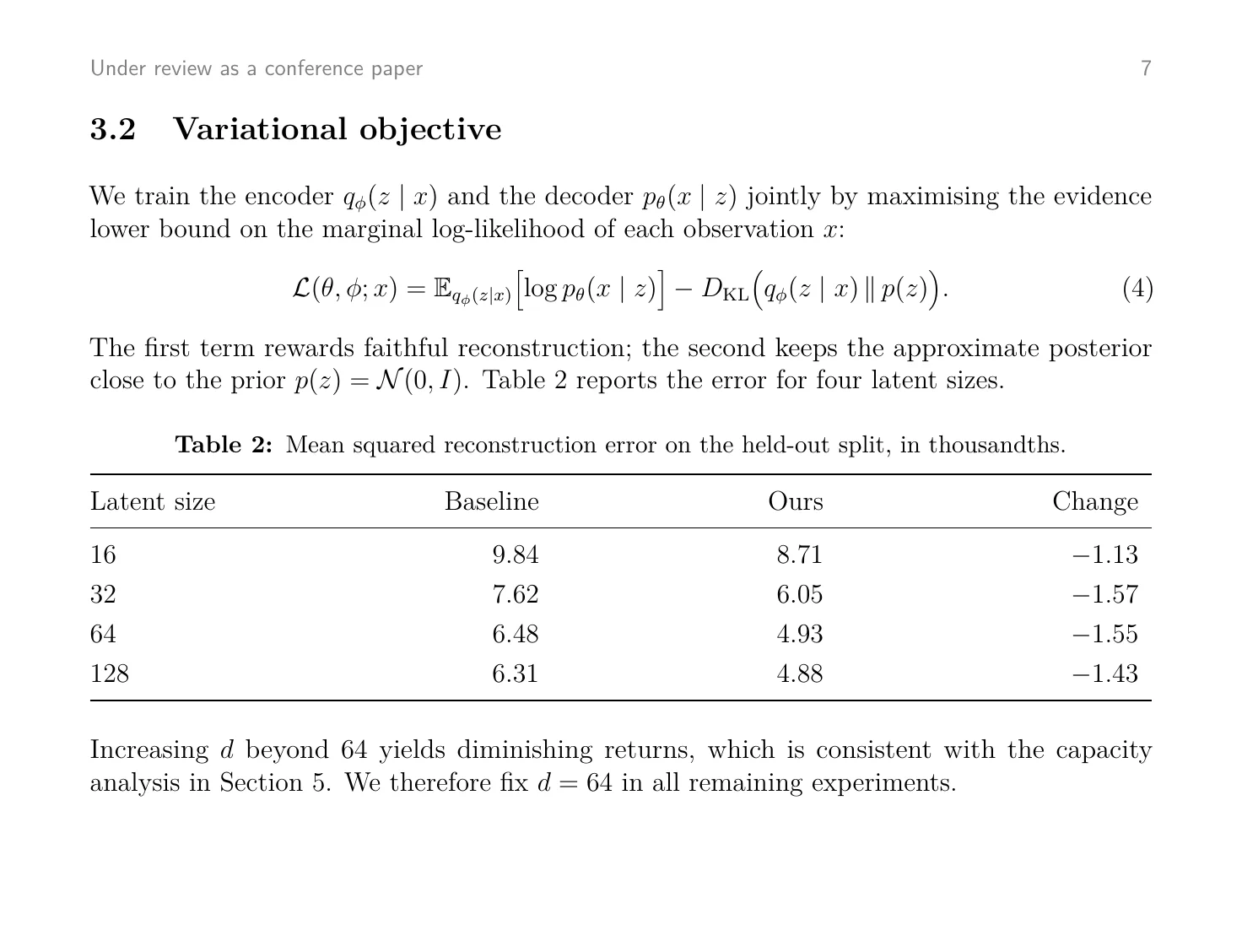
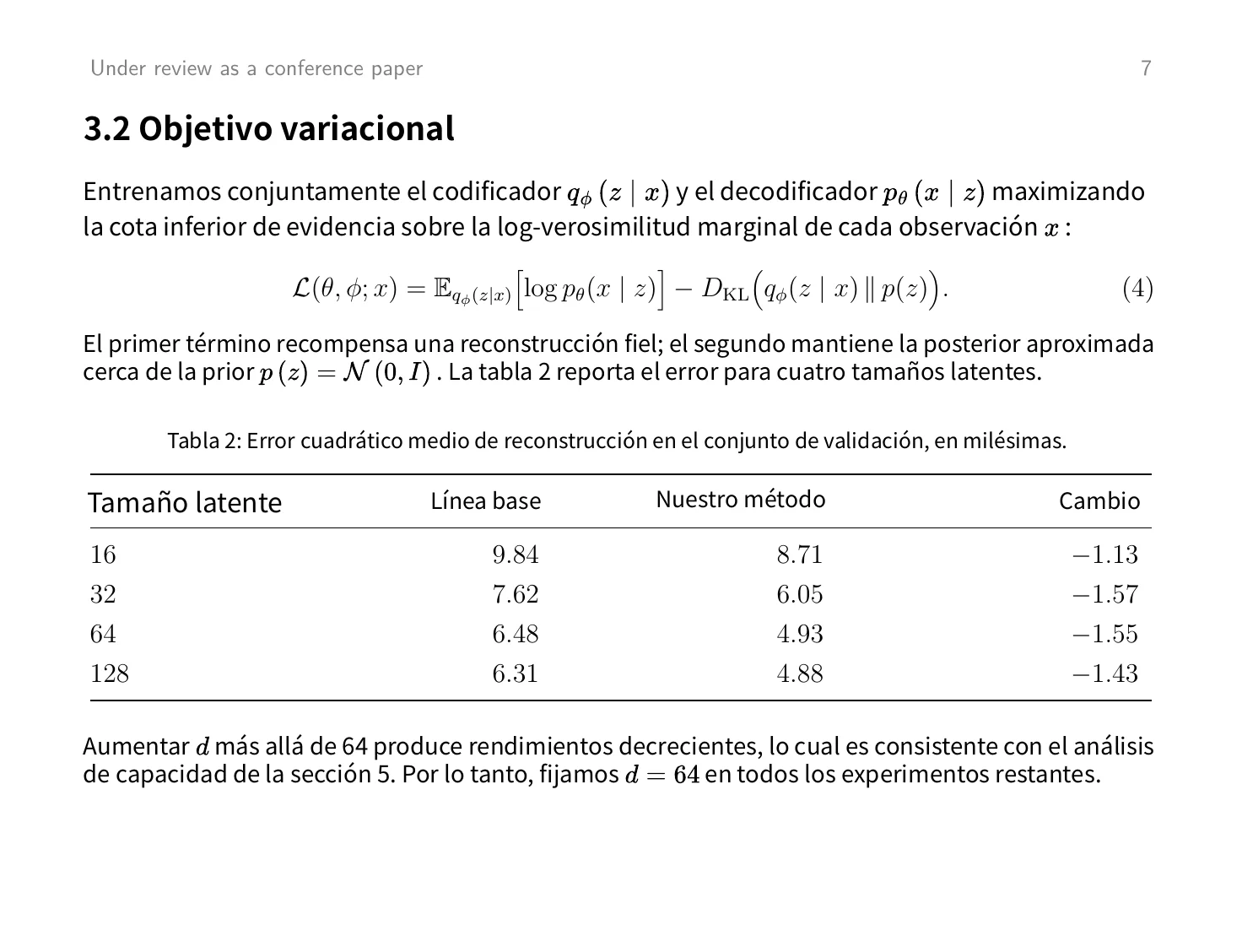
Not a mock-up. The translation is what Doc2X returned on 15 November 2026 with the standard model, unretouched. Open the PDF that went in and the PDF that came back.
Why it reads like the original
Only the words change.
OriginalEnglish TranslationEspañol 01
Tables stay in the document
A table is translated in place: header and caption change, rows, columns and numbers do not. You are not handed a paragraph where a table used to be.
Scanned page 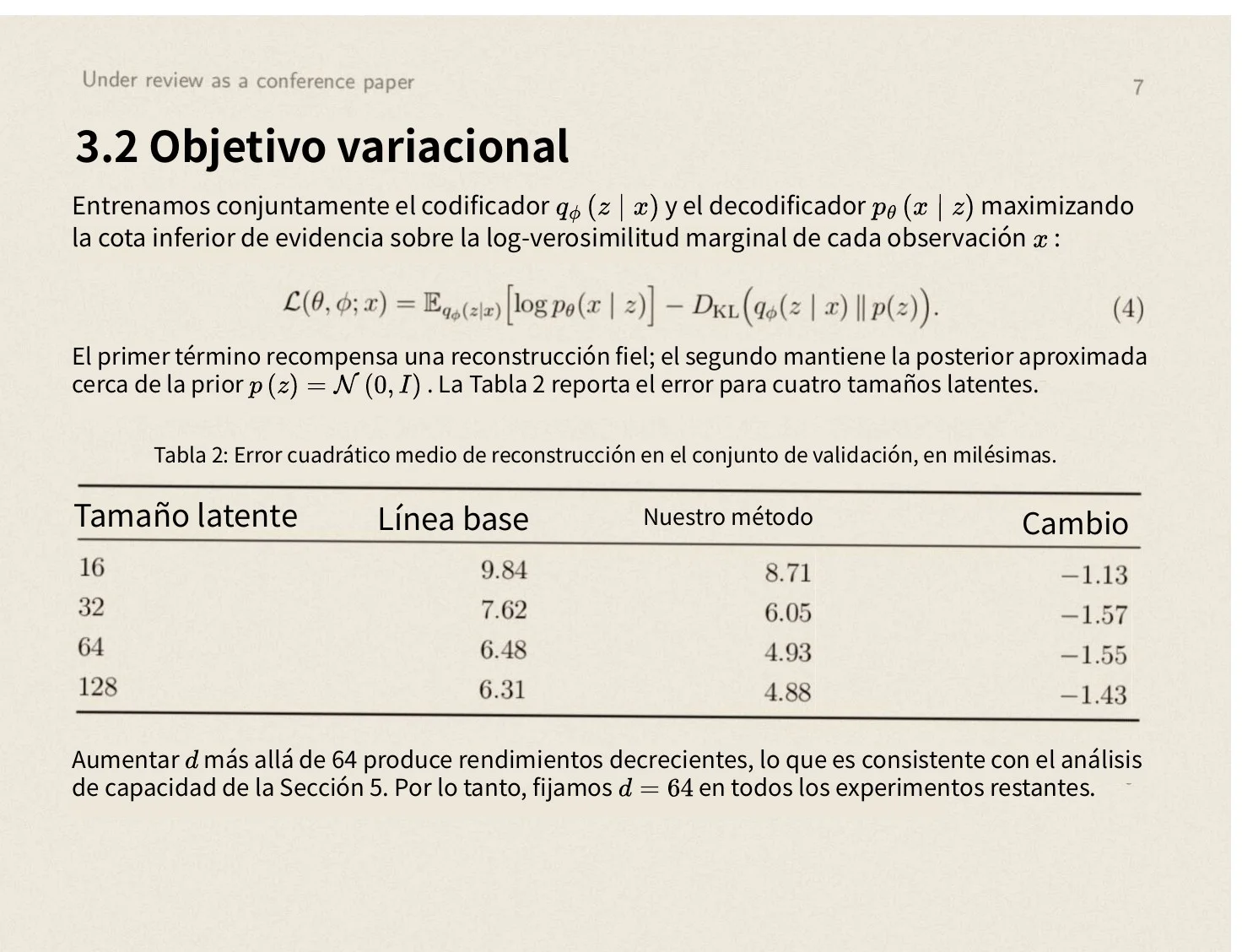
Translated PDF 02
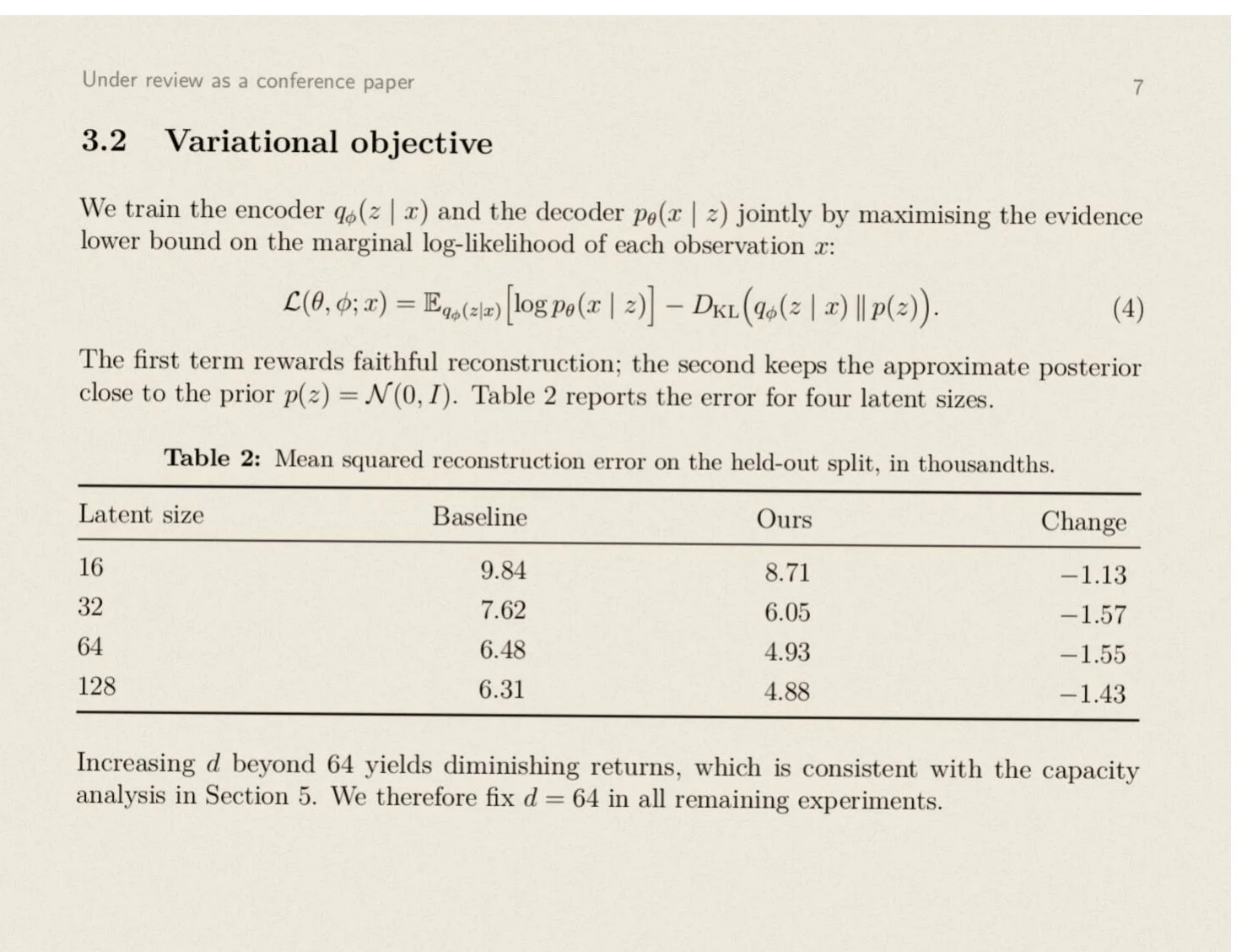
Scanned documents are fine
A manual that only exists as a scan is read first (print, formulas, tables) and then translated. It comes back on the same pages, with sharp text you can select and search.
OriginalEnglish TranslationEspañol 03
Technical content is left exact
Formulas, units and reference numbers are not run through the translator. They are set aside and put back where they were.
- Split viewOriginalTranslation
04
Review it before you send it on
Read the translation next to the original and check the lines that matter. Then download the PDF; on paid plans, a Word file if it needs edits.
How it works
Three steps from one language to another.
01
Upload the document
Add the PDF. If you have a Word or PowerPoint file, save it as PDF first so the layout is fixed.
02
Pick the language
Choose one of 11 target languages. You see what the document costs in credits before anything starts.
03
Review and export
Compare with the original, then download the translated PDF. Paid plans can also export an editable Word file.
The fine print
What it takes and what it gives back.
Better to know before you upload. The last list is what it does not do today.
- Files
- PDF, digital or scanned
- File size
- 20 MB on Free, 200 MB on Starter, 500 MB on Pro
- Languages
- English, Spanish, Portuguese (Brazil and Portugal), German, French, Japanese, Korean, Simplified and Traditional Chinese, and Russian (beta)
- Result
- A translated PDF with the original layout, read beside the original
- Exports
- Translated PDF on every plan, alone or with the original beside it. Word (.docx), Markdown (.md), LaTeX (.tex) and Typst (.typ) on Starter and Pro.
- Terminology
- On Starter and Pro the translation uses the whole document as context, which keeps terms consistent
- Cost
- Half a credit a page with the standard model; the total is shown before the task starts. The free plan has 50 credits a month, about 100 pages. A task that fails is not charged.
- Storage
- Uploaded files and results are deleted automatically within 31 days
Not a fit yet
- Word, PowerPoint, Excel or EPUB files uploaded directly. Save them as PDF first.
- Certified or sworn translation. This is machine translation: have a professional check anything with legal weight.
- Arabic and other right-to-left target languages. The translation comes out in the wrong reading direction.
How do I translate a document online?
Upload the document as a PDF and choose a language. Doc2X translates it page by page and returns a PDF with the same layout, which you can read in the browser or download.
Which file types can I translate?
PDF, including scanned PDFs. If your document is a Word, PowerPoint or other file, save it as PDF first; the layout is taken from the PDF.
Does the translated document keep its formatting?
Yes. Pages, headings, tables, formulas and figures stay where they were. Only the text is translated, including the labels inside charts.
Can I get an editable file back?
On Starter and Pro, yes: Word (.docx), Markdown, LaTeX or Typst. On the free plan you get the translated PDF, alone or with the original beside it on every page.
Is this a certified translation?
No. Doc2X is machine translation. It is good for reading and working with a document; for contracts, filings and anything with legal weight, have a professional translator review it.
Is it free?
The free plan gives you 50 credits every month, about 100 pages with the standard model, and takes PDFs up to 20 MB. No card is needed. You see what a document costs before it starts, and a task that fails is not charged.
What happens to my document?
It is uploaded over an encrypted connection, used to produce your translation, and deleted automatically within 31 days. Unless you explicitly agree, your files are not used to train AI models offered to the public or to other customers.
Send the document back translated.
Start on the free plan. No card needed.